

Node list
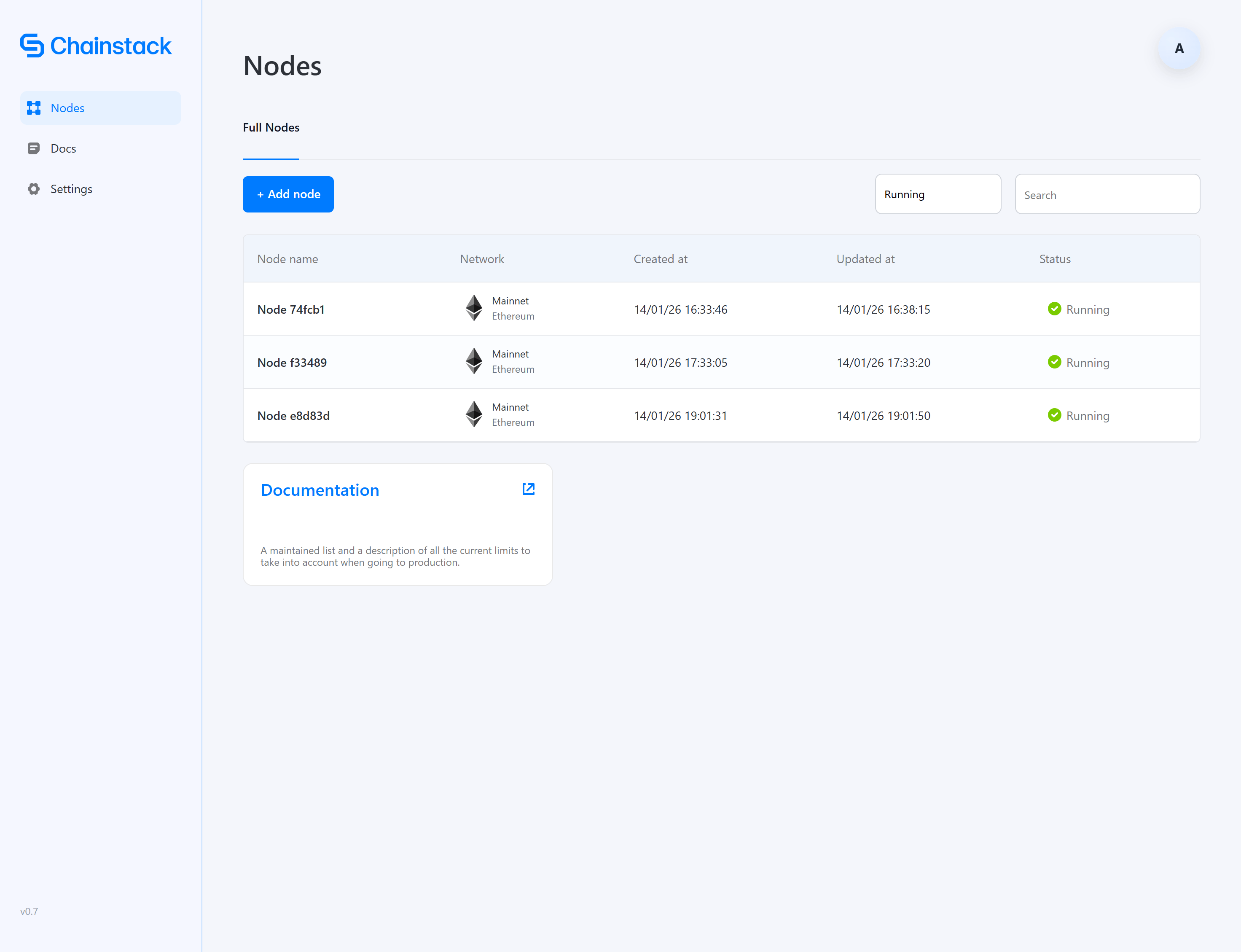
- Node name
- Protocol and network
- Date created
- Date updated
- Current status
Filtering and sorting
Use the controls to:- Filter by status — All statuses, Running, Bootstrapping, Error
- Search for specific nodes
Node details
Click on any node to view its details page, which includes: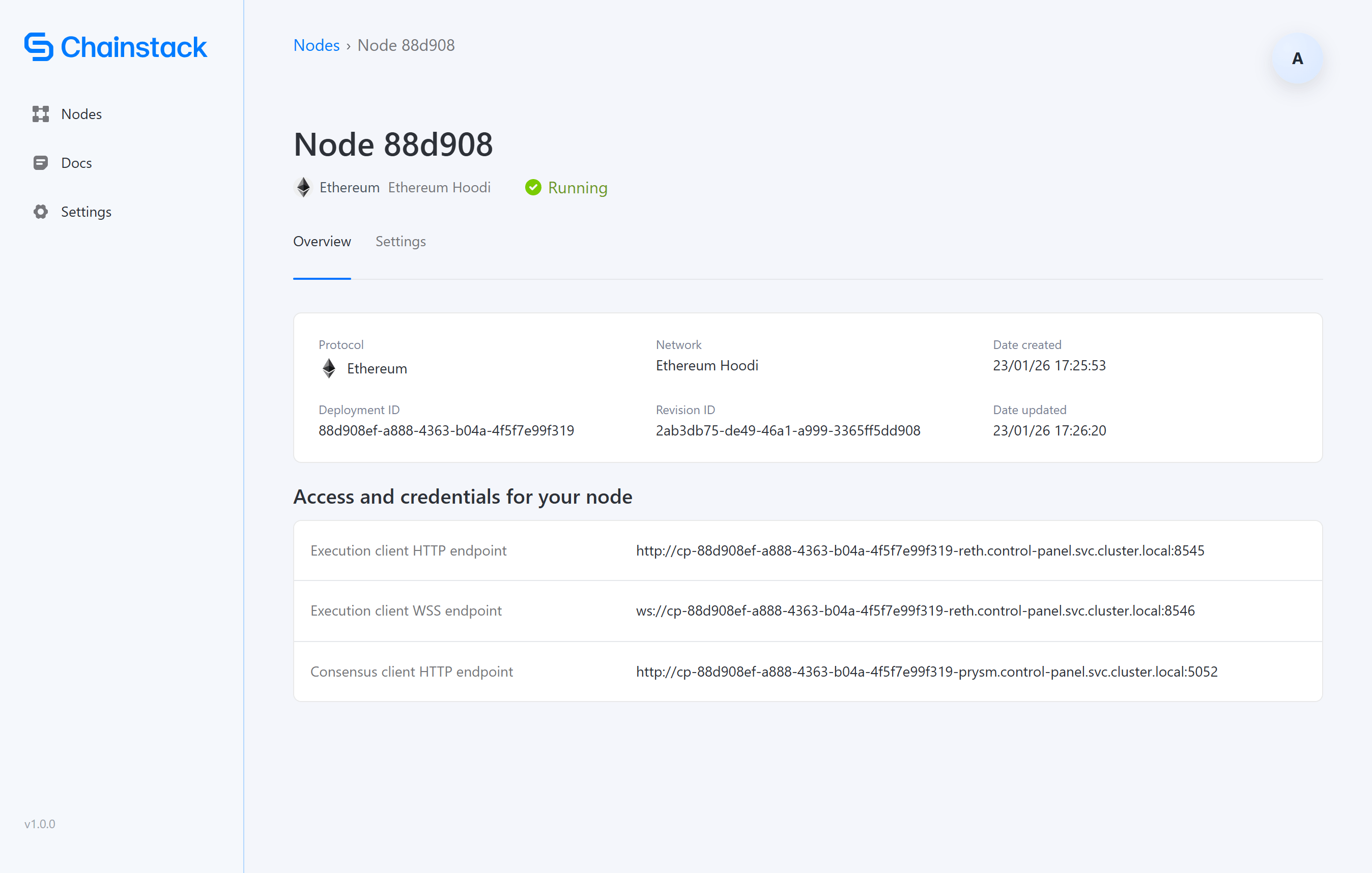
Overview tab
Access and credentials for your node:
The endpoint URLs are internal Kubernetes service addresses. To access nodes from outside the cluster, you’ll need to expose these services via LoadBalancer, NodePort, or Ingress.
Settings tab
The Settings tab provides additional actions for the deployed node. Currently available:Monitoring
The Control Panel includes an integrated observability stack with pre-built Grafana dashboards for node health, sync status, and Kubernetes infrastructure metrics. See Monitoring for access instructions.Next steps
- Troubleshooting — Resolve common issues
- FAQ — Answers to common questions